New in Animals ยท Intake

Animal shelter
intake software.
Many animals, one intake.

AnimalsFirst animal shelter intake software now takes a whole litter in one intake, each animal with its own fee and waivers. The guardian pays at the counter, or signs and pays from a link that never expires.

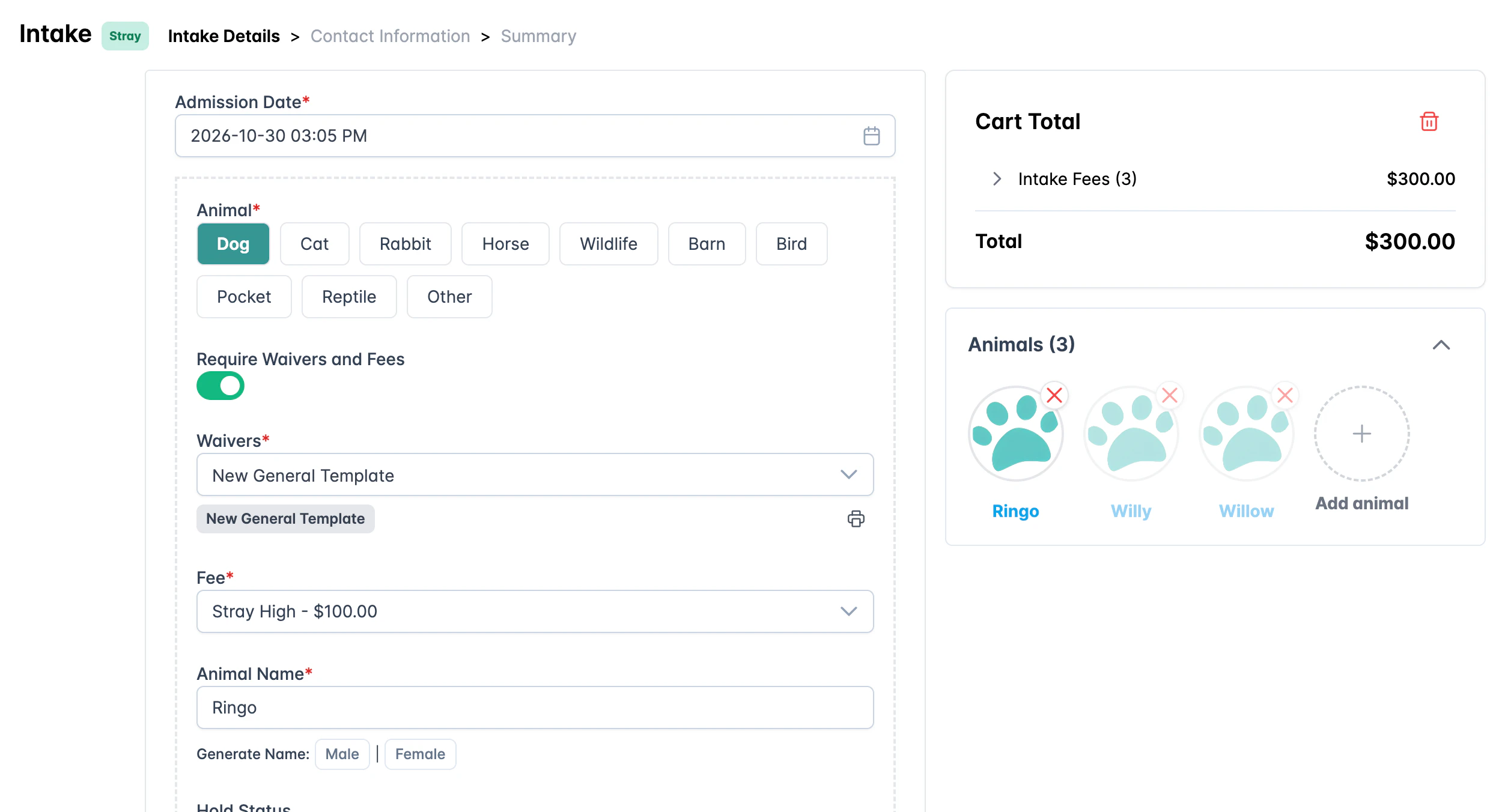
Animal shelter intake software: one Stray intake with three animals and a $300 cart total

Drawn from the real screen, with sample data.

Nothing is saved until you finish
Intake links never expire
A card is charged only once

In plain words

What is the new AnimalsFirst intake?

AnimalsFirst intake is animal shelter intake software that puts every intake through one checkout. Staff start from the Add Animal button, an animal's profile, or a Field Services, TNVR or Community Support case. Each one opens the same intake.

One intake can hold many animals. Each animal has its own form, with a fee and waivers when the intake type needs them. The admission date is set once for the whole intake.

Nothing is saved until staff complete the intake, take a card payment, or send the guardian a link. If someone walks away halfway, no half-made records are left behind.

Intake Details step of the animal shelter intake software, with numbered parts
1 2 3 4
  1. 1The admission date is set once for the whole intake.
  2. 2Each animal has its own fee and waivers.
  3. 3The cart total adds the fee of every animal.
  4. 4Add animal brings more animals into the same intake.

How it works

From the front desk to the kennel in five steps.

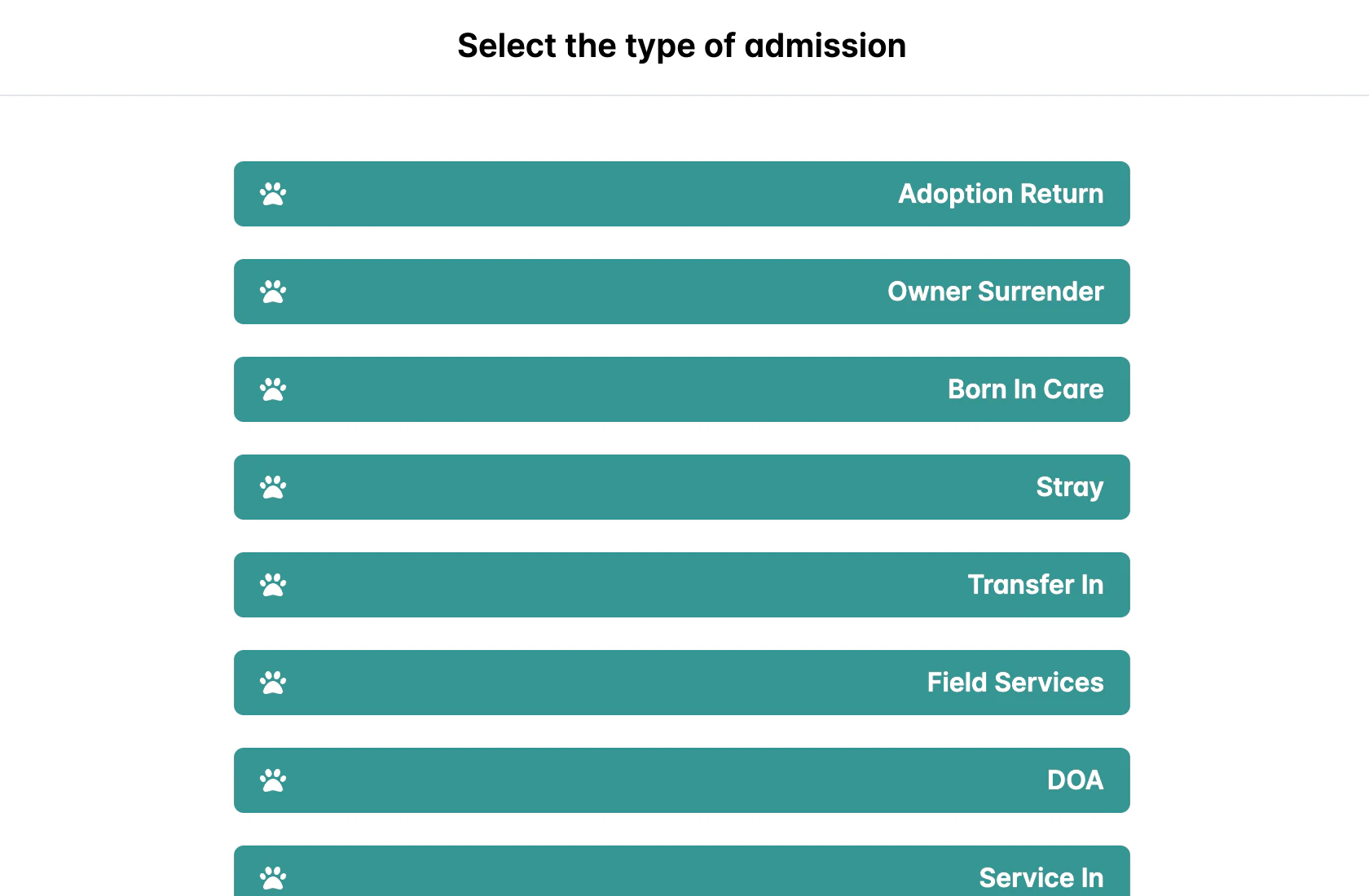
  1. Pick the intake type

    Click Add Animal in the top bar and pick the type: Stray, Owner Surrender, Transfer In and more.

    List of intake types in the animal shelter intake software
  2. Fill in the first animal

    Pick the species, the fee and the waivers, and name the animal. The cart total updates as you go.

    Intake Details form for one animal with its fee and waiver
  3. Add the rest

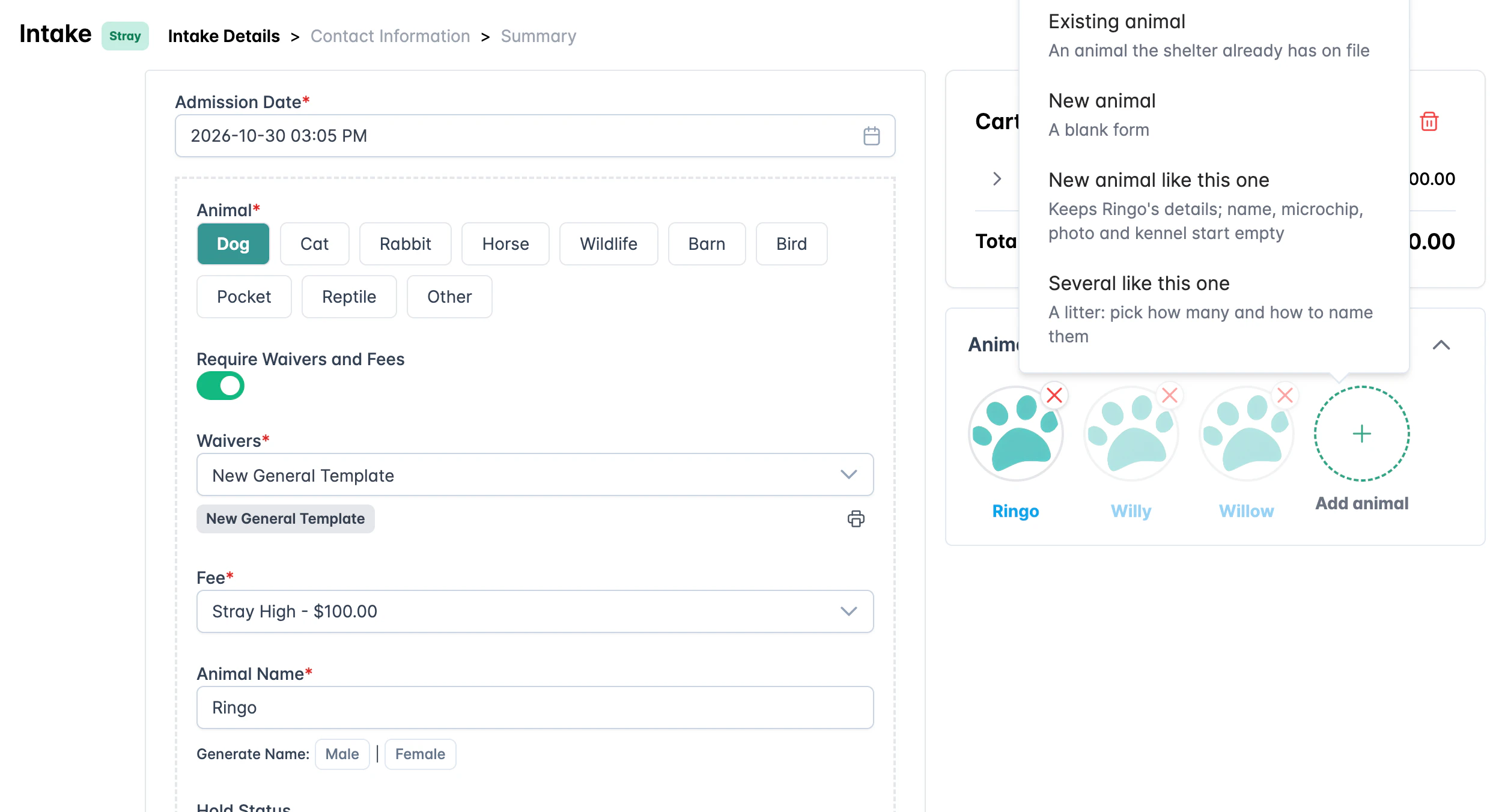
    Add animal offers four ways in: an existing animal, a new animal, a new animal like this one, or several like this one.

    Add animal menu with four ways to add animals to an intake
  4. Take in a litter at once

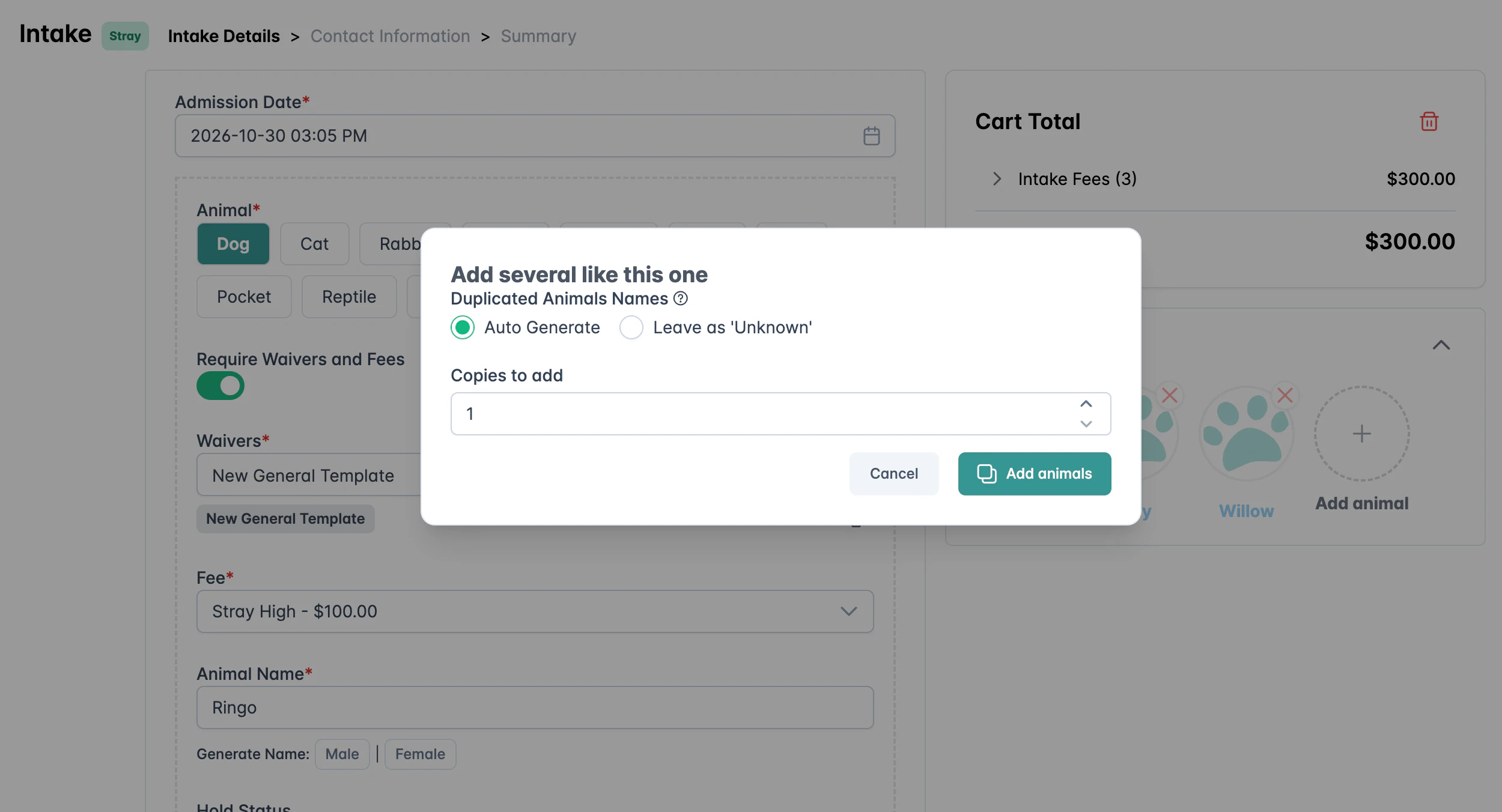
    Pick how many copies to add and how to name them. Each copy keeps the details and gets its own fee.

    Add several like this one dialog for a litter
  5. Collect now or later

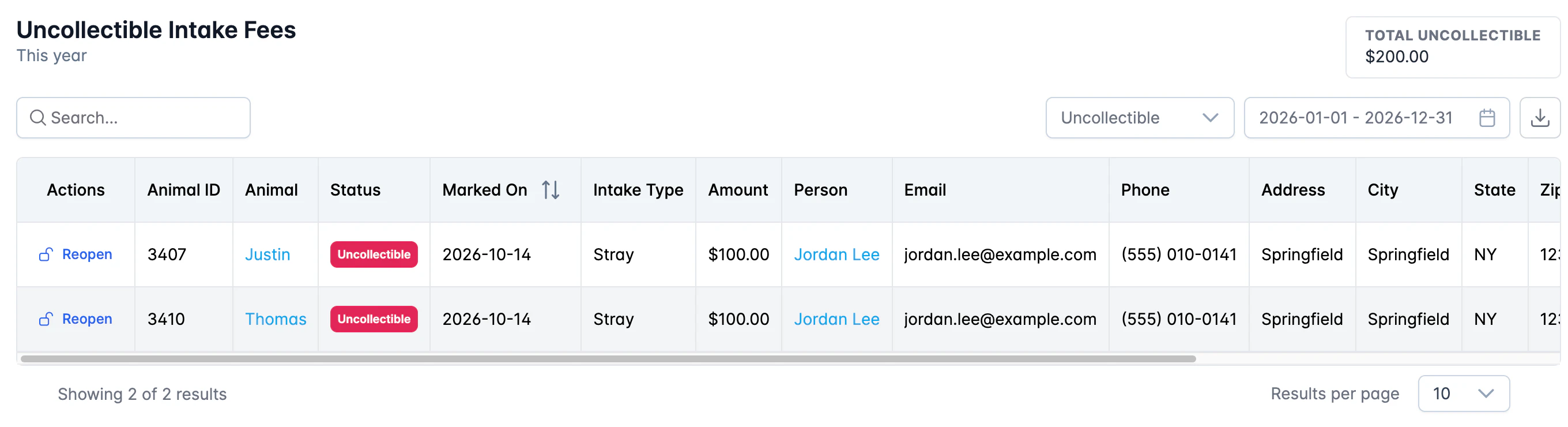
    Take the payment at the counter, or send a link. If the guardian cannot pay, mark the fee as uncollectible and find it later in its own report.

    Uncollectible Intake Fees report with sample rows

Before and after

One form for one animal. Then the whole litter.

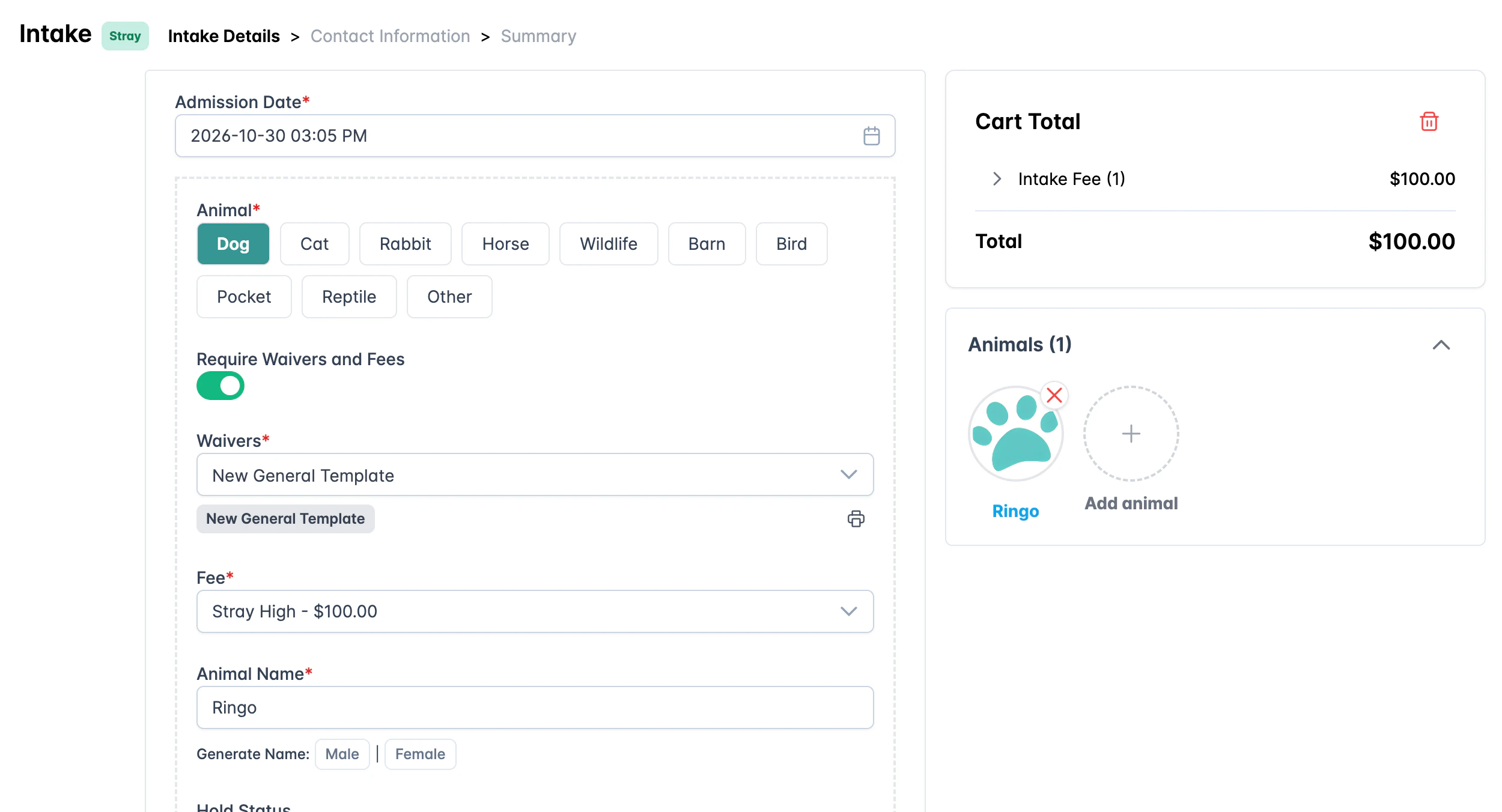
An intake with one animal and a $100 total
Start with one animal
The same intake with three animals and a $300 total
A minute later: three animals, one intake

What you get

Every part of an intake, in one place.

Many animals per intake

Existing animals, new animals, copies and litters, all in one cart.

Waivers per animal

The guardian signs only for the animals that need waivers.

Links that never expire

Edit and resend a link, or complete it without a signature.

Uncollectible fees

Take the animals in when the guardian cannot pay, and collect later.

Two new reports

Uncollectible Intake Fees and Unsigned Intake Waivers, each with Reopen.

Discounts where you want them

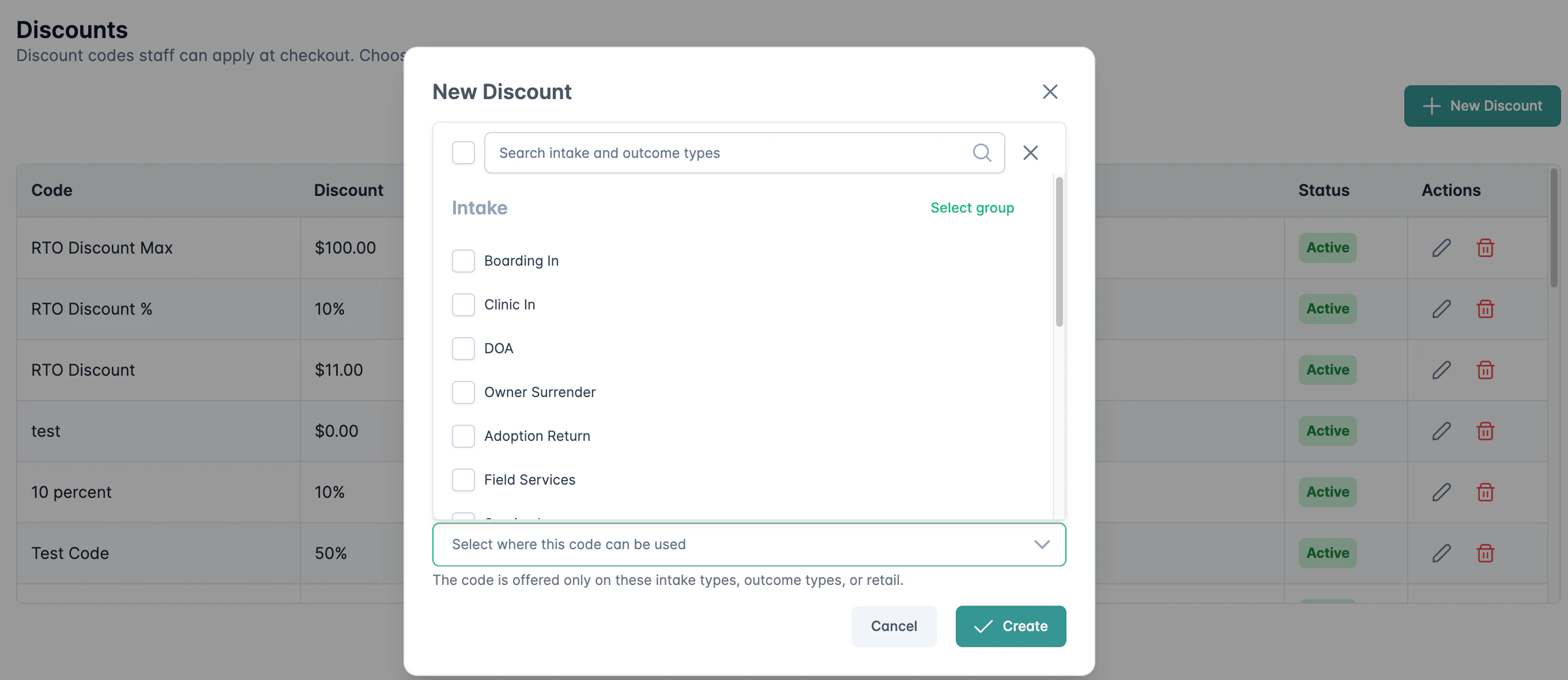
Limit each code to chosen intake types, outcome types or retail.

Your own intake forms

Older forms, such as Seized or TNR, run in the cart with the fees and waivers of their type.

One photo, everywhere

The first photo you add follows the animal to the summary, the completed intake and the guardian's phone.

Discount code Applies to list with intake types

Questions people ask

Animal shelter intake software, answered.

What is AnimalsFirst animal shelter intake software?

It is the intake flow of AnimalsFirst, the cloud shelter management platform. Staff take in one animal or a whole litter in one intake. Each animal has its own form, fee and waivers. The guardian pays at the counter, or signs and pays from a link on their phone.

Can one intake hold more than one animal?

Yes. Click Add animal to add an existing animal, a new animal, a new animal like the one on screen, or several like it for a litter. The cart total adds the fee of each animal.

What happens if staff leave an intake halfway?

Nothing is saved until staff complete the intake, take a card payment, or send a link. Leaving halfway leaves no half-made animal records behind.

Do intake links expire?

No. An intake link stays open until the guardian finishes it or staff close it. From the pending intake, staff can edit and resend the link, mark the fee as uncollectible, or complete it without a signature.

What if the guardian cannot pay the intake fee?

Staff mark the fee as uncollectible. The animals are taken in, and the intake shows in the Uncollectible Intake Fees report. Staff can reopen it later and take the payment.

Can a discount code apply only to some intakes?

Yes. Each discount code has an Applies to list of intake types, outcome types and retail. The cart offers a code only where it is allowed. Codes saved before this change keep working everywhere.

Adding more animals to one intake
AnimalsFirst animal shelter intake software